
Anyone who is documenting or using APIs has probably come across a new, slick web interface for viewing APIs, like the one in this image:
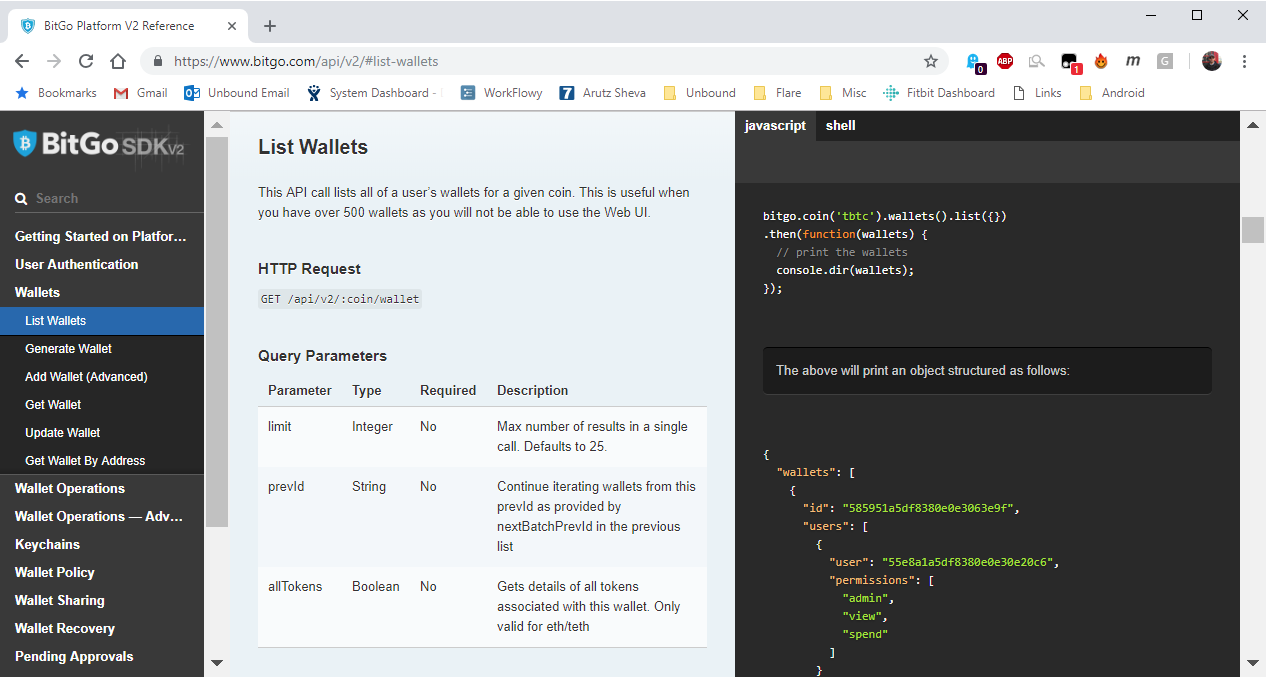
So, what is this interface? And how do I get my APIs to look like it?
This interface is called Slate. It provides a 3-pane view, with a TOC, the API reference, and code samples. Unfortunately, I am running a Windows machine, and I couldn’t get Slate to install.
Fortunately, there is a port of Slate, called Shins (Shins Is Not Slate). This port runs on Windows and uses NodeJS instead of Linux, Ruby, Bundler, etc.
Shins generates the Slate-like output with minimal effort from a Markdown file that contains your APIs. Since my R&D team creates a YAML file, I used widdershins to convert the YAML to Markdown.
Here’s what you need to do:
- Create a folder on your computer called shins
- Clone the Shins repository to your local directory.
- Create a folder called widdershins in the shins directory.
- Clone the widdershins repo to your local directory.
- Copy your latest YAML file into the defs dir:
.\shins\widdershins\defs - Change directory to this one:
.\shins\widdershins - Run the following command:
node widdershins –search true .\defs\my-api.yaml -o my-api.md
Note: You can add a flag that lets you choose which languages to include in the output, such as:
–language_tabs ‘javascript:JavaScript’ ‘shell:Shell’ - Change directory to this one:
.\shins - Run the following command:
node .\shins.js –logo company-logo.png .\widdershins\my-api.md - The index.html file in that directory is created with the Slate/Shins output.
Now you have the Slate output. You can now upload the index.html file as well as the pub and source directories to your website.
 Phlogtastic